The free CMMS your technicians will actually use
Work orders, preventive maintenance and spare parts in one place, in English and Spanish. Technicians sign in with a phone number and a PIN, no email needed.
Free forever
No credit card
English & Spanish
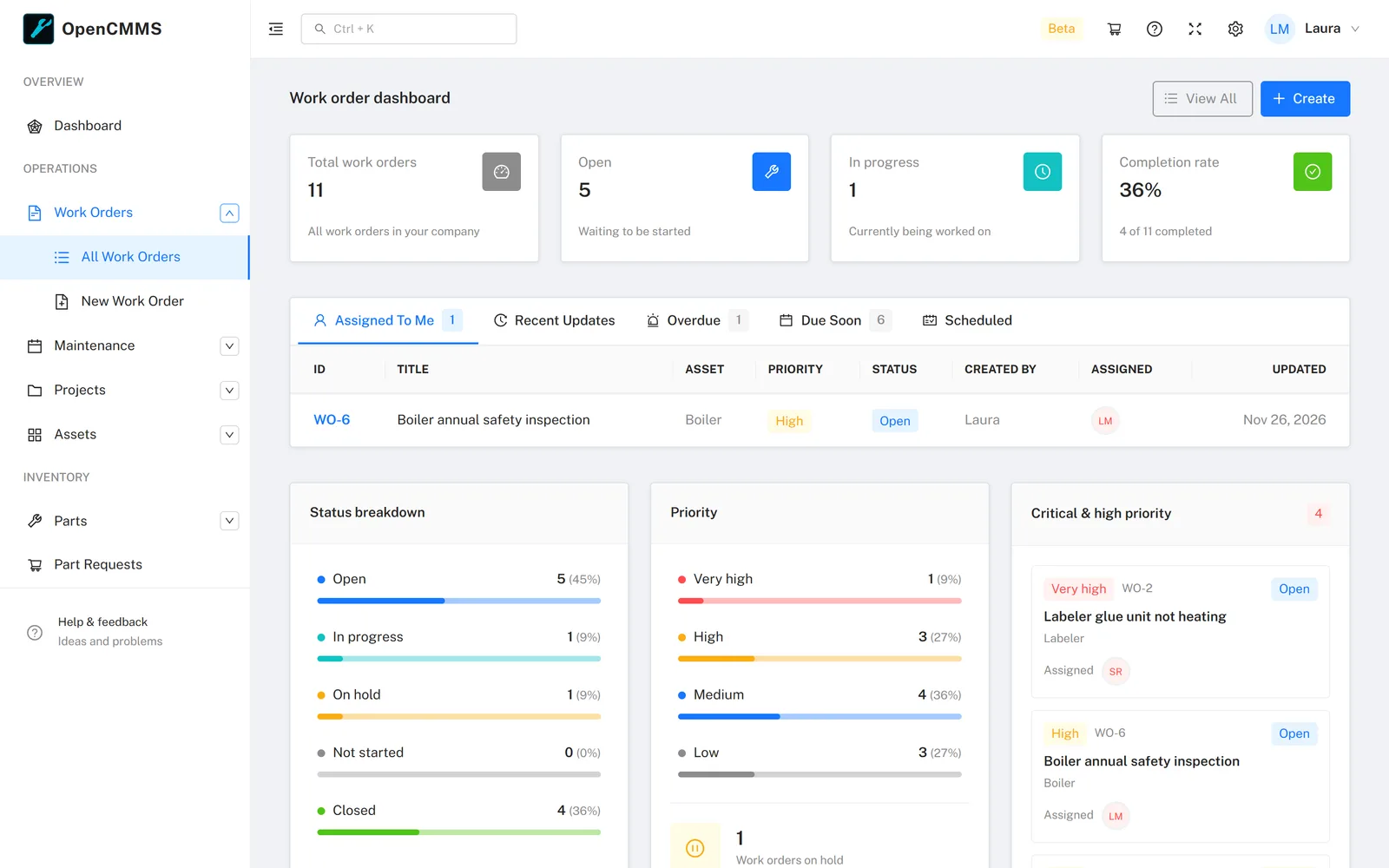
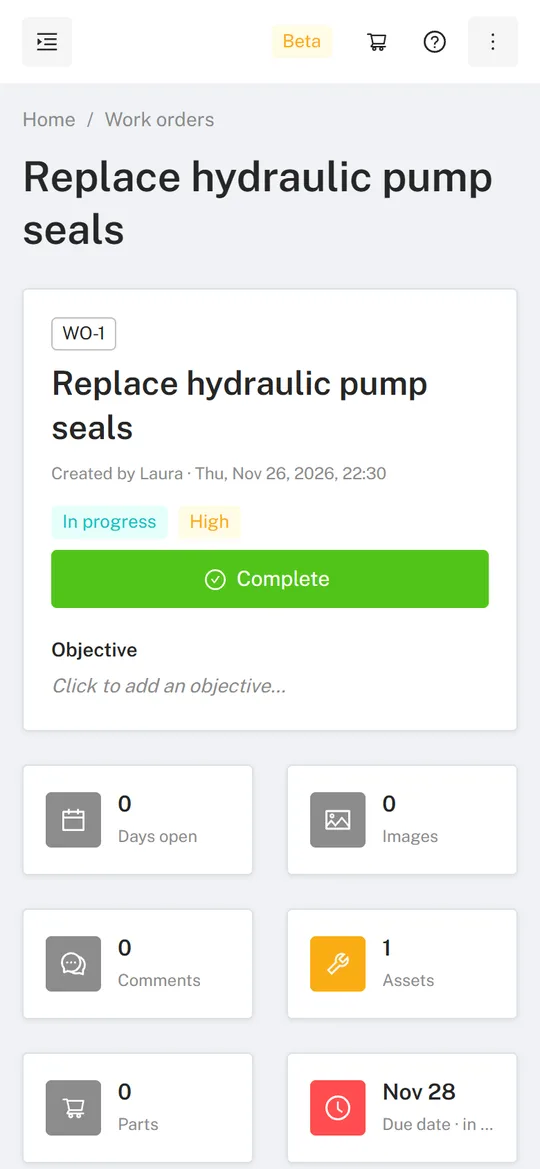
Built for Maintenance Teams
Everything your team needs to run an efficient maintenance operation — available on the free plan and beyond.
Work Orders
Create work orders for one or several assets, set priority and status, and split the job into tasks. Photos, comments and a work log keep the whole history in one place.
Asset Management
Organize equipment in a parent-child hierarchy with locations, meters and technical sheets you can share. Save links to manuals, support and where to buy parts.
Preventive Maintenance
Schedule maintenance by time or by meter reading. Each plan can create its work orders automatically or just remind you when it is due.
Parts Inventory
Keep spare parts with photos, part numbers and stock levels. Find low-stock items in one click and reuse part details from a shared catalog.
Part Requests
Technicians add the parts they need to a cart, for a work order, an asset, a project or stock. Purchasing reviews the request and prints it.
Projects
Plan larger jobs in sections and tasks, assign people and follow progress beside your day-to-day work orders.
Team & Roles
Invite your team and control what each role can see and do. Technicians without email can sign in with a phone number and PIN.
English & Spanish
Each person picks their language. The app works on desktop and on the phone out on the plant floor.
Up and Running in Minutes
Get started with OpenCMMS in minutes. Create your free account, set up your team, and start managing maintenance right away.
Start FreeCreate Your Account
Sign up and set up your company profile. Invite your team and give each person a role.
Register Your Assets
Add your equipment with its location, meters, photos and technical details, grouped the way your plant is organized.
Start Managing Work
Create work orders, set up maintenance plans and request parts. Everyone works from the same up-to-date information.
Start Free. Upgrade When Ready.
Free forever for small teams. No credit card, and no trial that runs out.
Free
$0
/ forever
Up to 3 users
Up to 50 assets
Up to 10 meters
Up to 100 open work orders
completed and cancelled ones are not countedUp to 5 maintenance plans
1 active project
completed and cancelled ones are not countedUp to 100 parts / inventory items
1 GB storage
images only · up to 20 MB per fileCommunity support
Need more?
Bigger team or more assets than the free plan allows? Tell us what you need and we will set it up with you.
Talk to us